
Run every job, truck and invoice from one screen
FieldOps is the lite ERP for service companies — work orders, dispatch, truck stock, invoicing, payments and customer conversations, without stitching five apps together.
14 days free · no card required · set up in minutes
Super Easy to Use, No Tech Skills Needed
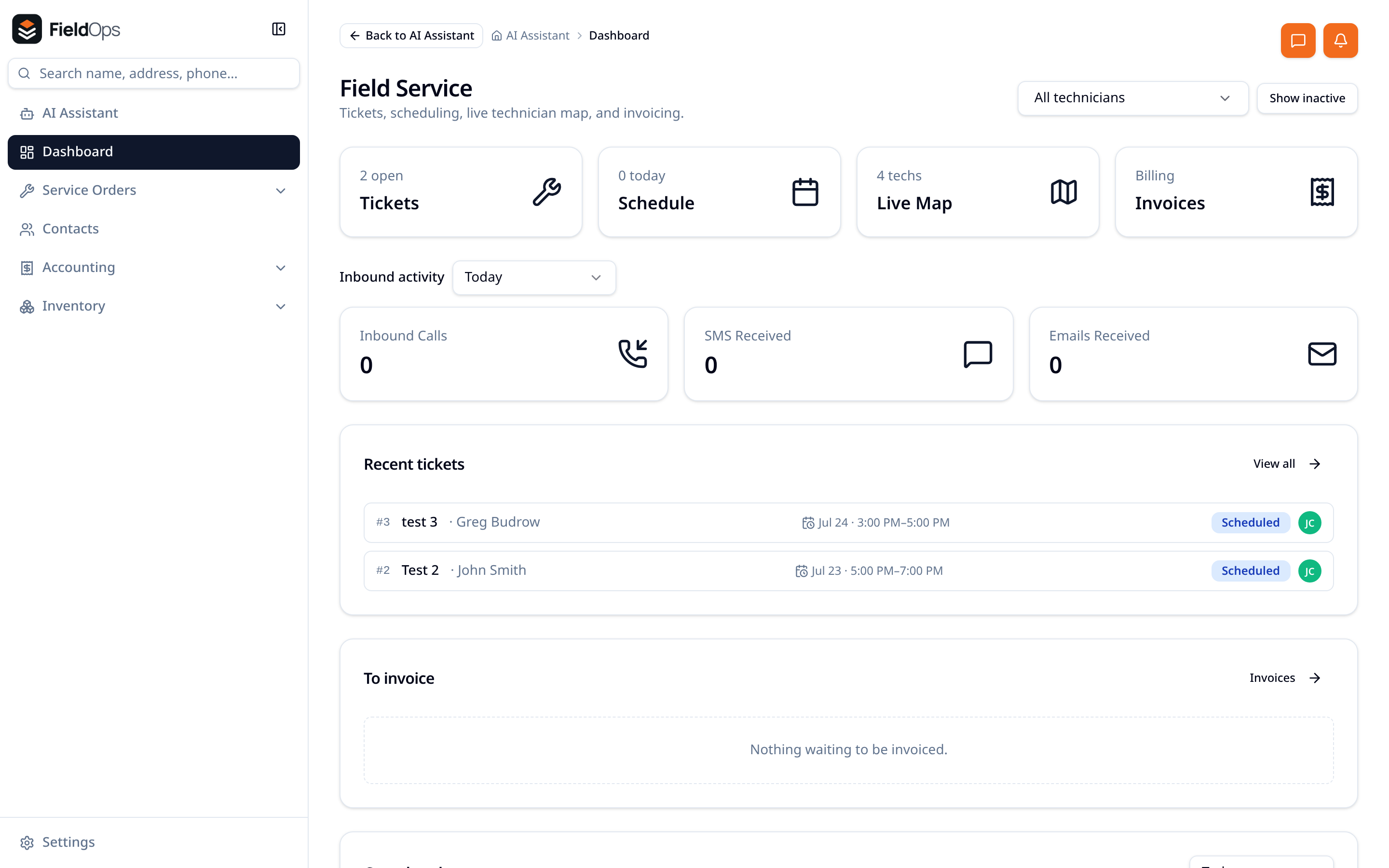
Work orders
One ticket carries the customer, site, parts, notes, photos, totals and payment status.
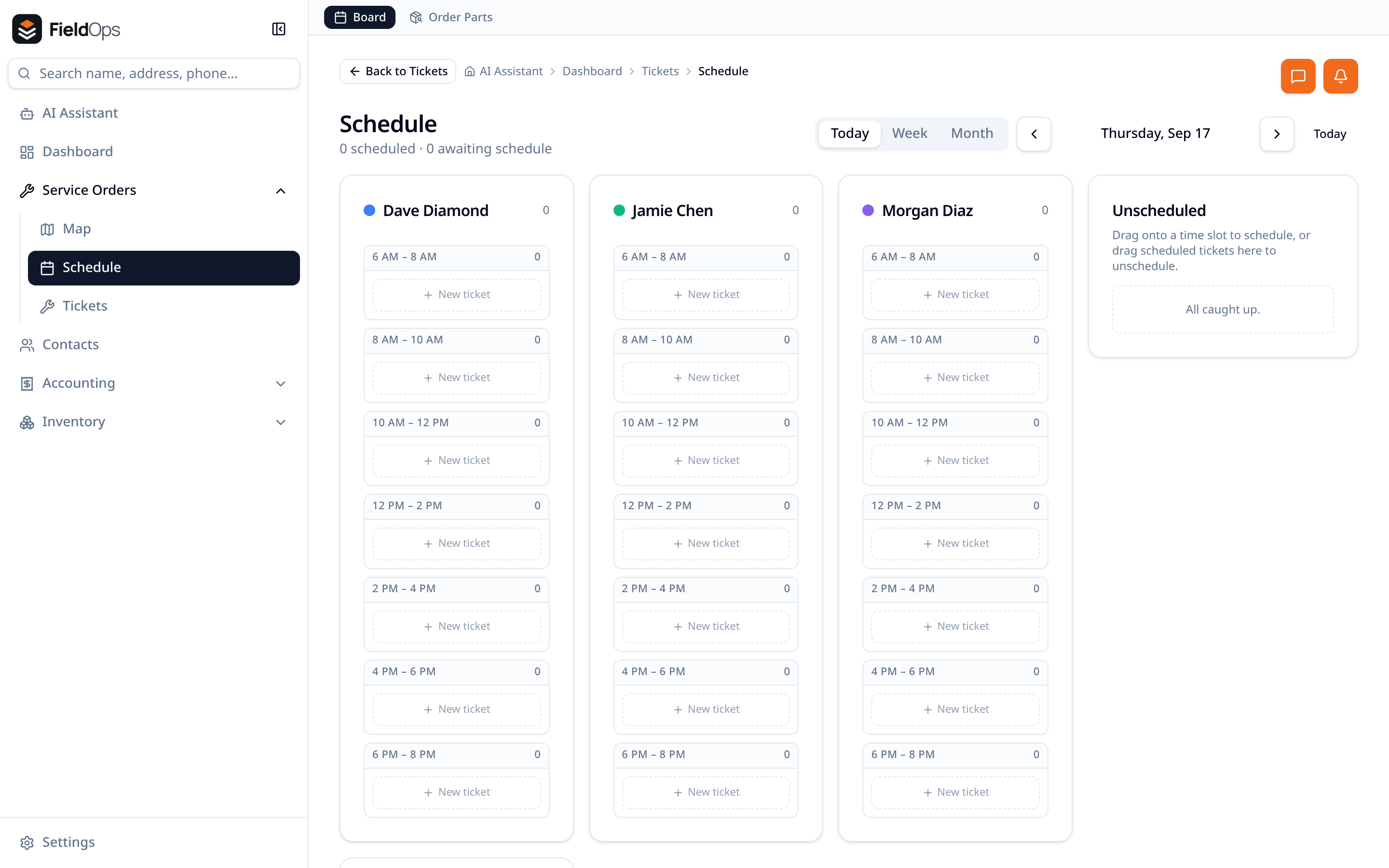
Dispatch board
Drag jobs onto a technician's slot and move them the moment the day changes.
Live map
Watch the trucks, plan the route and give the office a real ETA.
Inventory management
Warehouses, vans, serial numbers and transfers with a full movement history.
Invoicing
Complete a job, send a branded invoice, track balances and prepayments.
Payments
Cards, Apple Pay, Google Pay and bank transfers — office, field or customer's phone.
Calls & texts
Ring and text customers from the record with recordings and history logged.
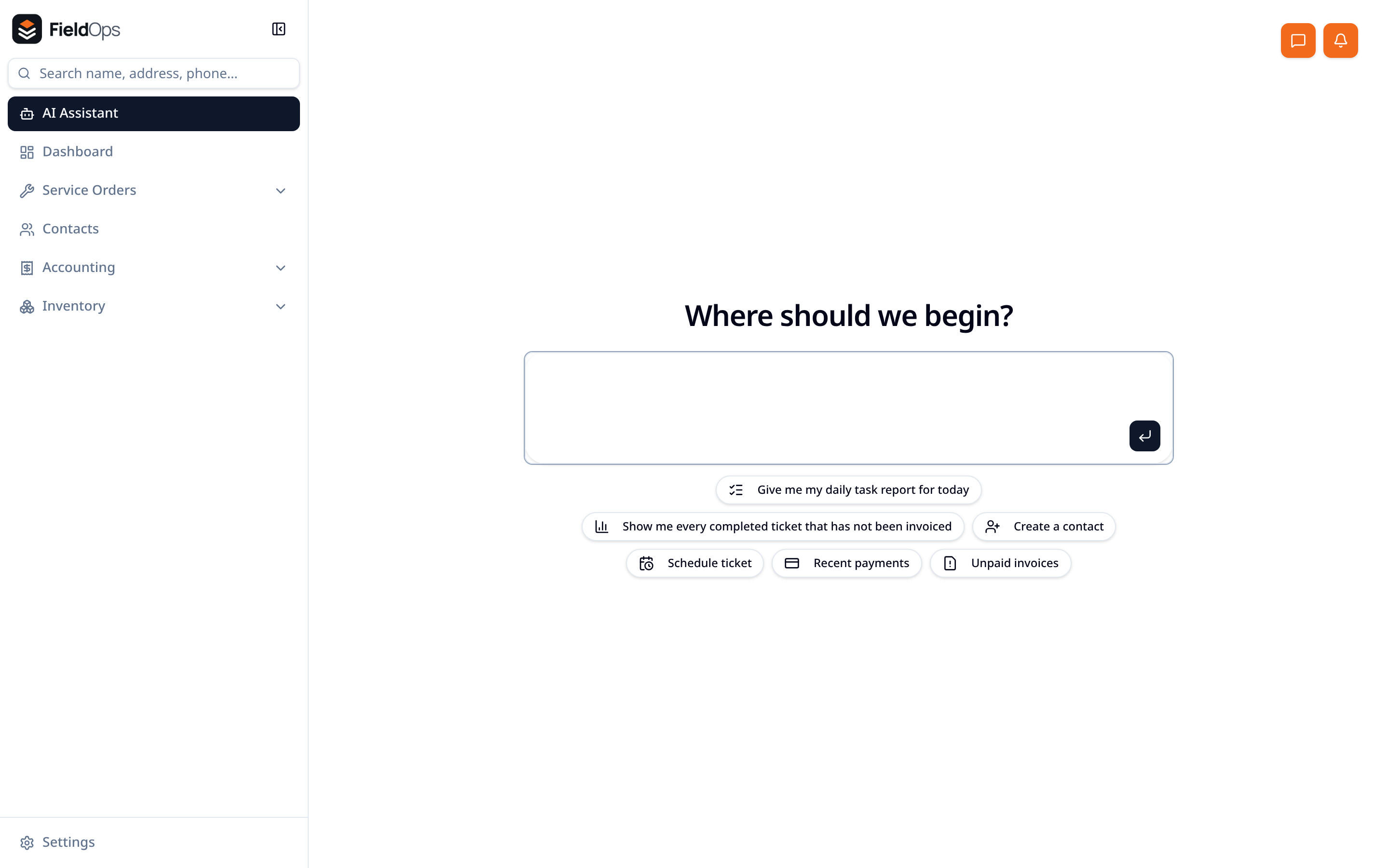
AI assistant
Ask for a daily task list, unpaid invoices or any report and get clickable answers.
See the real thing
These are actual FieldOps screens — not concept art.
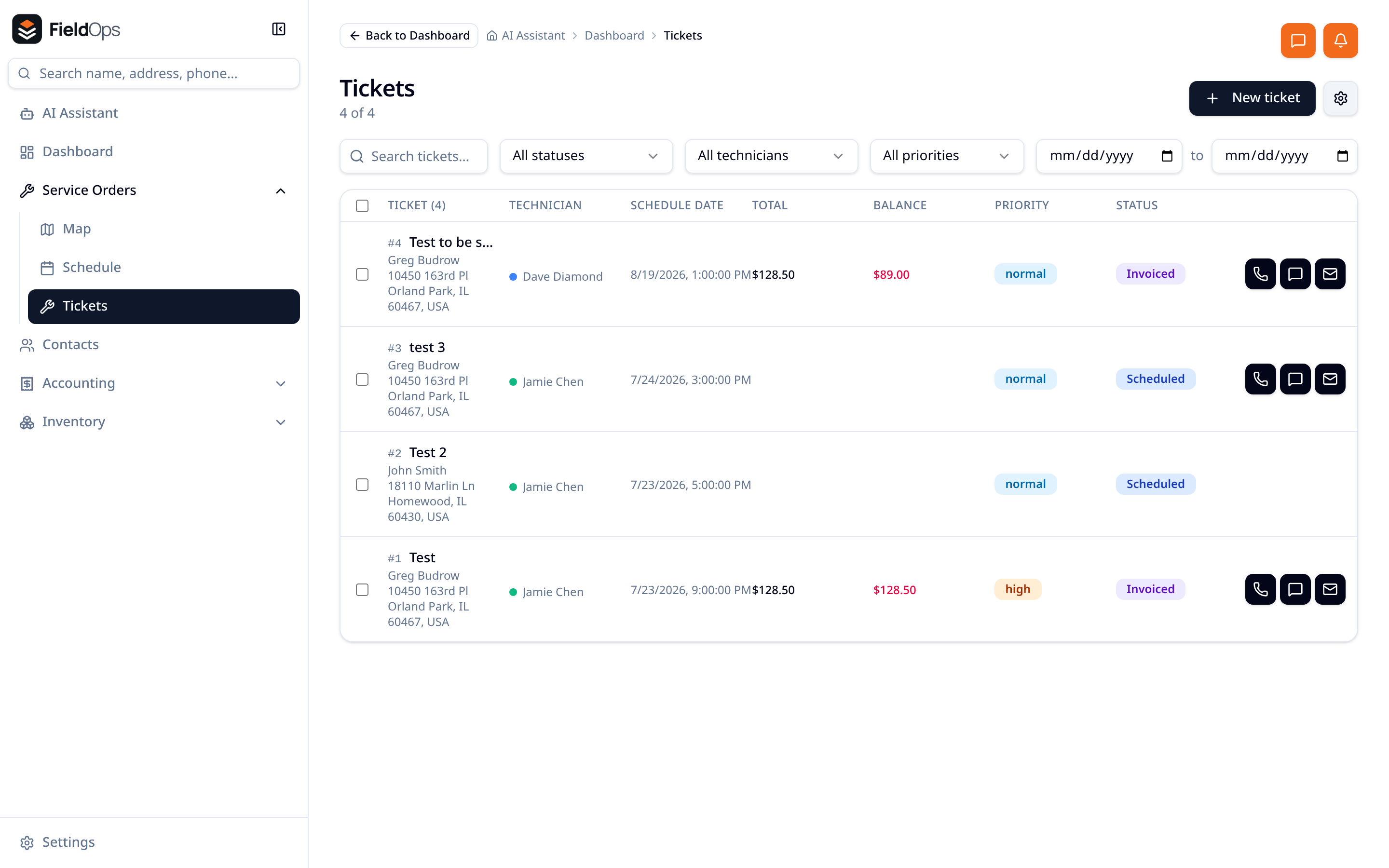
Tickets
Filter by technician, priority or date. Totals and balance owed sit right in the row, with call, text and email one tap away.
Dispatch board
Drag work onto a technician's time slot, keep unscheduled jobs in view, and flip between day, week and month.
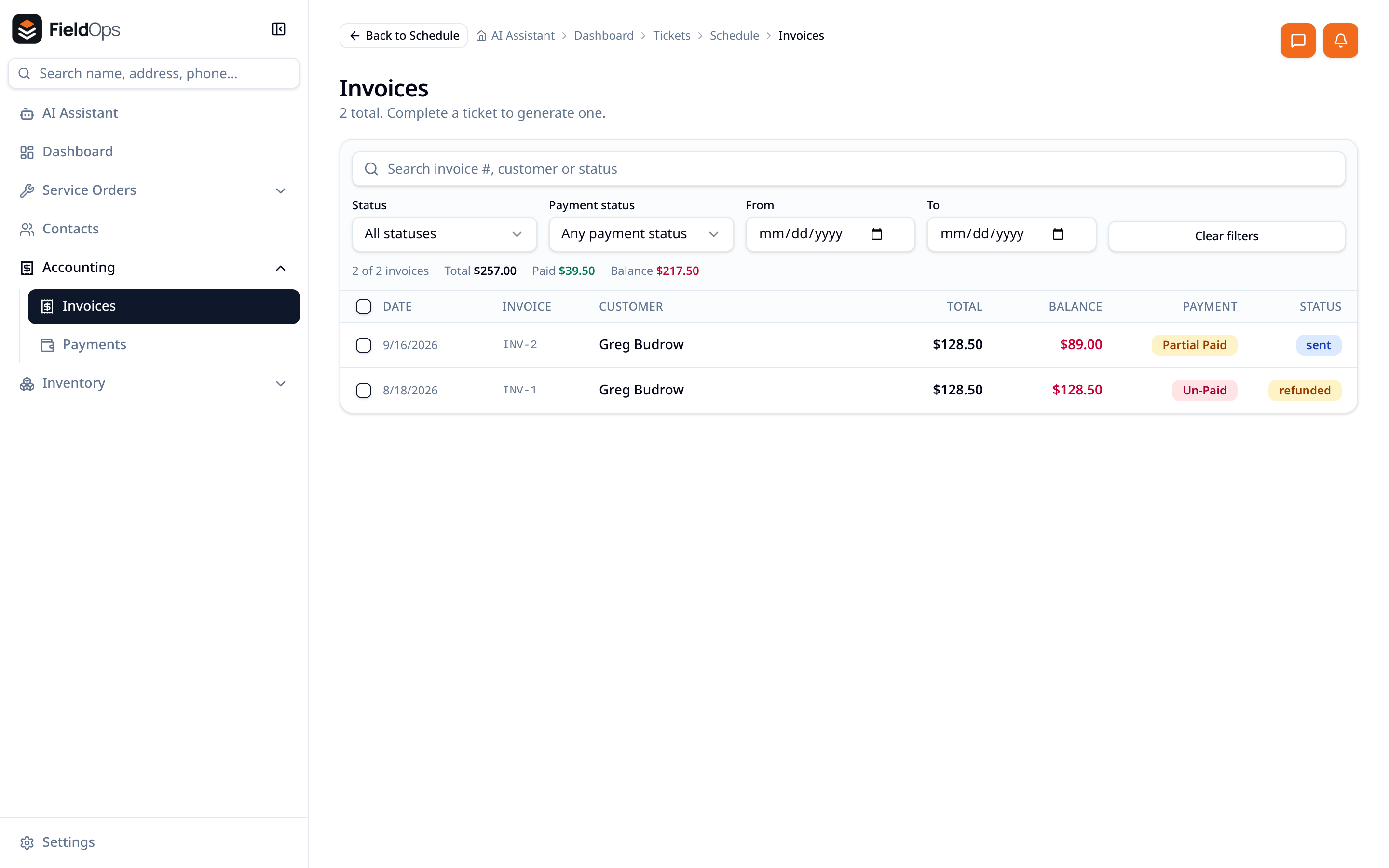
Invoices & payments
Balance due at a glance, grouped payments across invoices, refunds back to the original method, and a branded invoice your customer can pay online.
AI assistant
"What do I need to do today?" — inbound messages to answer, jobs to finish, invoices to chase, all linked to the record.
A job, start to finish
The call comes in
The customer, their history and every past job are already on screen — calls, texts and emails logged in one timeline.
The job gets booked
Create the ticket, drop it on a technician's slot, and take a prepayment if you need one before parts are ordered.
The tech works it
Their own jobs on their phone, one-tap call and text, parts pulled from the truck, notes and photos on the ticket.
You get paid
The invoice is ready when the job closes. Send it by email or text, and take card or bank payment on the spot.
What changes in week one
- No more whiteboard schedule
- No more lost parts off the truck
- No more invoices sitting in a notebook
- No more guessing who called yesterday
Bring your next job into FieldOps and see.